The default configuration for each NextWave indicator is designed as a production-ready starting point. Modules are set to ON or OFF based on chart clarity: the goal is to present the most useful information without visual overload. Every module can be enabled or disabled independently from the indicator's Inputs panel in TradingView.
The primary system is AI (chart overlay) + Oscillator Pro (oscillator pane). WaveTrend is maintained as a legacy alternative for existing users.
Modules marked OFF are not broken or less important. They are deactivated to keep the default view clean. Enable them from the Inputs panel as your workflow requires. There is no wrong configuration — only what fits your trading style.
Warning
Screenshots shown correspond to version 3.5, which will be available soon. The main changes in this update focus on the alert system and internal function improvements for better performance. Default settings remain the same.
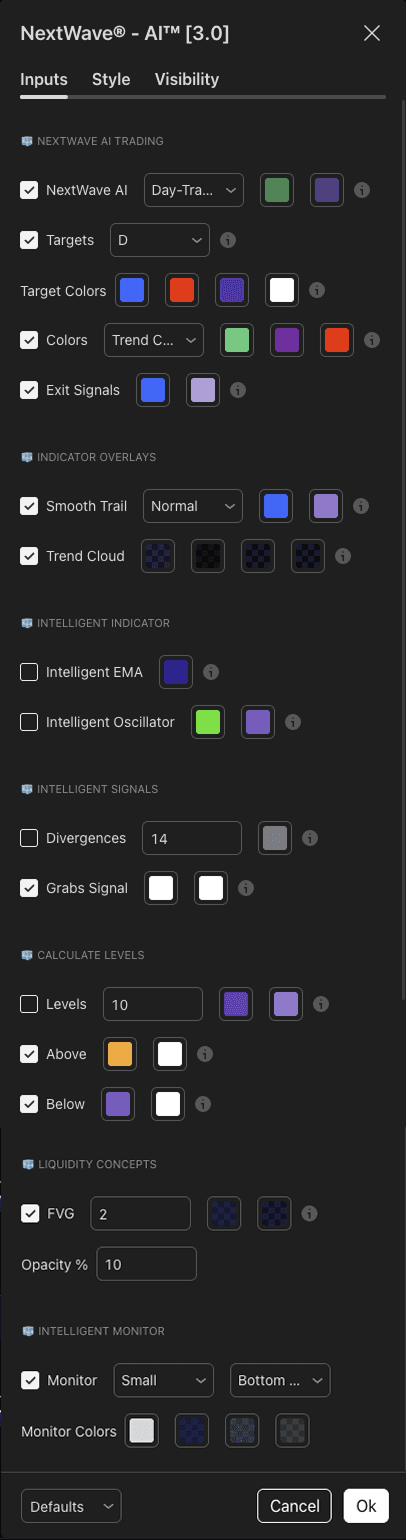
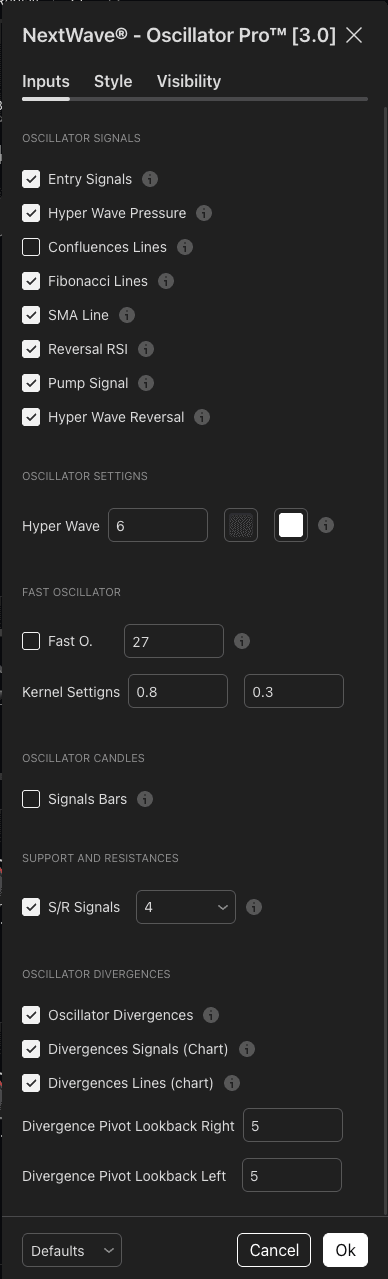
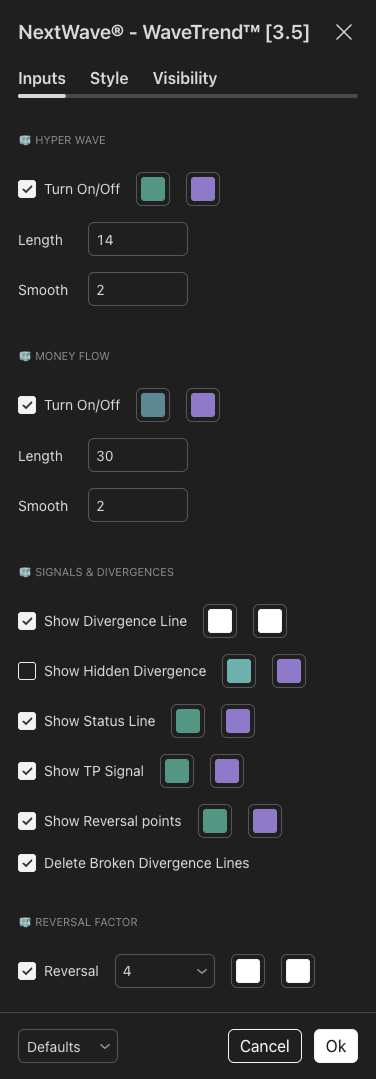
Your indicators are now active. Choose the setup that fits your trading style:

Last updated on
March
25,
2026